Selection of movie directories?
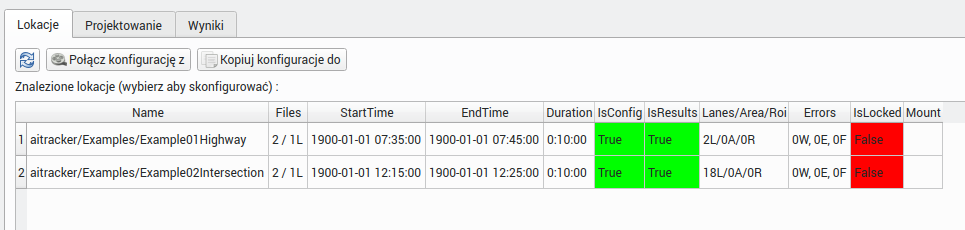
Once you select a startup directory, it will be scanned by the system for videos. Each folder containing recordings will appear in the location window as a separate video location/directory that you can play and configure. For each location, the system will display the found data such as:
- Number of video files,
- start time/end time,
- Duration
- Does the directory contain configuration?
- Does the directory contain results?
- Number of relations, areas, sections
Combine multiple directories into one measurement point
Some video cameras divide recordings into hourly subdirectories. For such a camera, a 24-hour video measurement will consist of 24 directories, each containing recordings from a given hour. To combine all directories into one measurement point (location), use the Connect configuration with button, which is located above the location table. This button allows you to combine multiple catalogs into one measurement point.